
Download applications from the ReflexBlue Application Server
On the management website of the ReflexBlue Application Server, you can find the installation files for these applications:
- ReflexBlue Desktop Client
- ReflexBlue Printer Service
- ReflexBlue Import/Export Service
Follow the steps below to download one or more installation files:
-
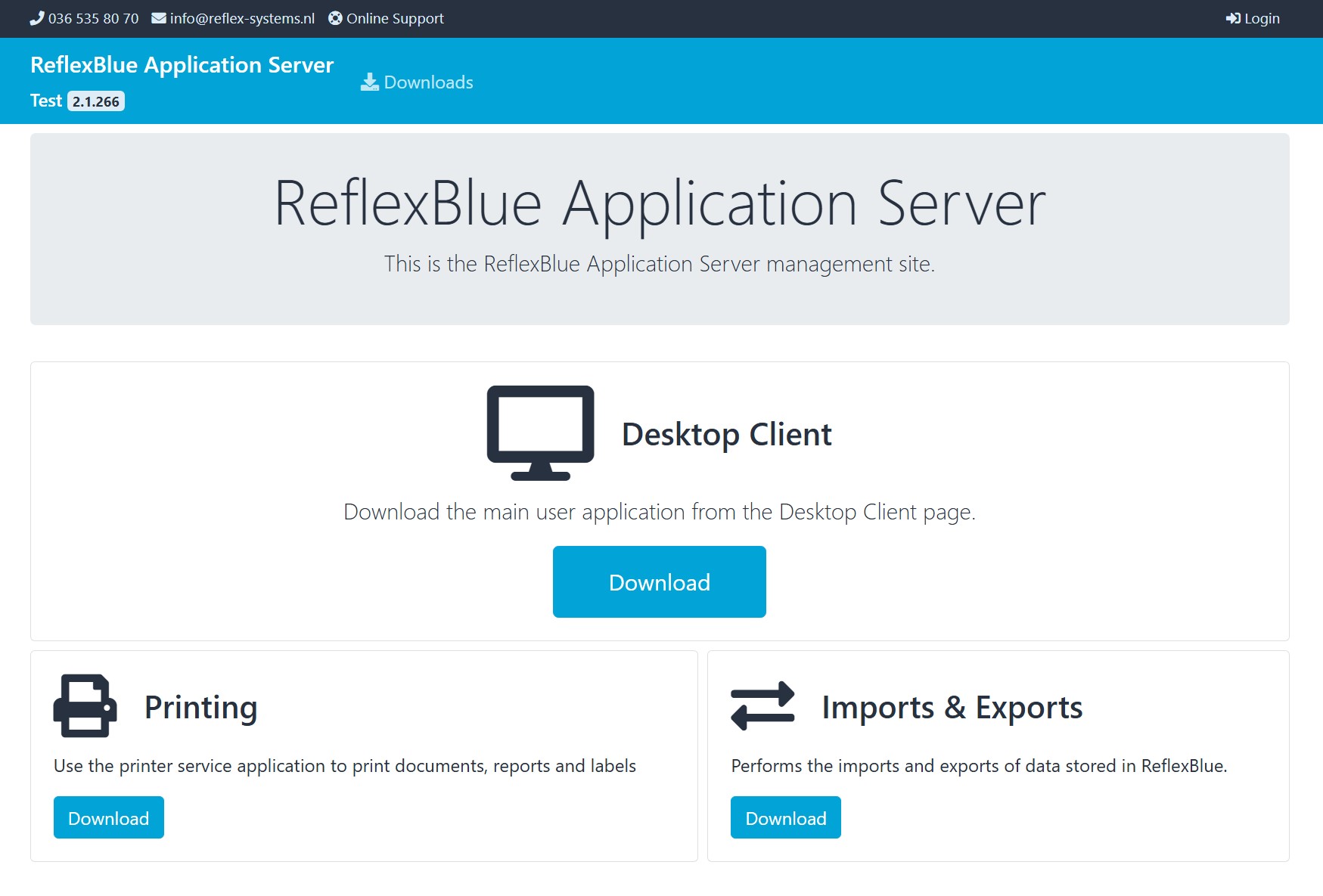
Open your web browser and enter the web address (URL) of your ReflexBlue Application Server in the address bar. This will take you to the homepage of the management website.
Don’t know the URL? Then follow the instructions in Obtaining the URL of your ReflexBlue Application Server.
The homepage looks something like this:
-
Select Login and log in with your ReflexBlue account. You will now see the Sign in page.
-
Enter your username and password and select Sign in. You will then return to the homepage.
-
On the homepage, select Downloads to go to the Downloads page.
-
On the Downloads page, choose which application you want to download:
- Download Desktop Client
- Download Printer Service
- Download Import/Export Service
-
Choose where you want to save the file on your computer.
After downloading, you can start the installation by running the file.