2025-01-20 - New in ReflexBlue: 2024 Roll Up
Written by: Rogier Bessem
Welcome to ‘New in ReflexBlue’, a recurring blog post that appears every three months. In this blog post, we highlight the most important innovations and improvements in ReflexBlue. Whether you’re looking for new functionalities or enhancements to existing processes, these updates keep you fully informed about developments within the software.
This first blog post provides a comprehensive overview of last year’s highlights. This way, you know exactly which improvements have been implemented and how ReflexBlue can better support you in your daily tasks.
In this edition, we cover:
- General: New language options, improved reports, and additional validation options for input fields.
- Orders: Article selection, improved search functionalities, and new options for quotes and packing slips.
- Finance: UBL invoices via email, extensive purchasing analyses, and improved cost price calculations.
- Checkpoints: New options for production orders and essential HACCP controls.
- Recipes and Production: Improved filtering and print options for production orders.
- Desktop Application: Dynamic field filters and easy export options.
- Flex: Detailed article information available on the production floor.
General
Language
Many of our users produce for international trade or sell their products in a country where multiple languages are spoken. This creates considerable complexity when it comes to naming articles and ingredients. It becomes especially complex when you need to use these languages on reports and labels. With the language functions in ReflexBlue, it becomes much easier to manage all translations.
With language support, you can provide translations for articles and ingredients. You can use a single language on your report or label, but you can also use multiple languages on the same report or label.
In the language overview, you define which languages are available for your administration.
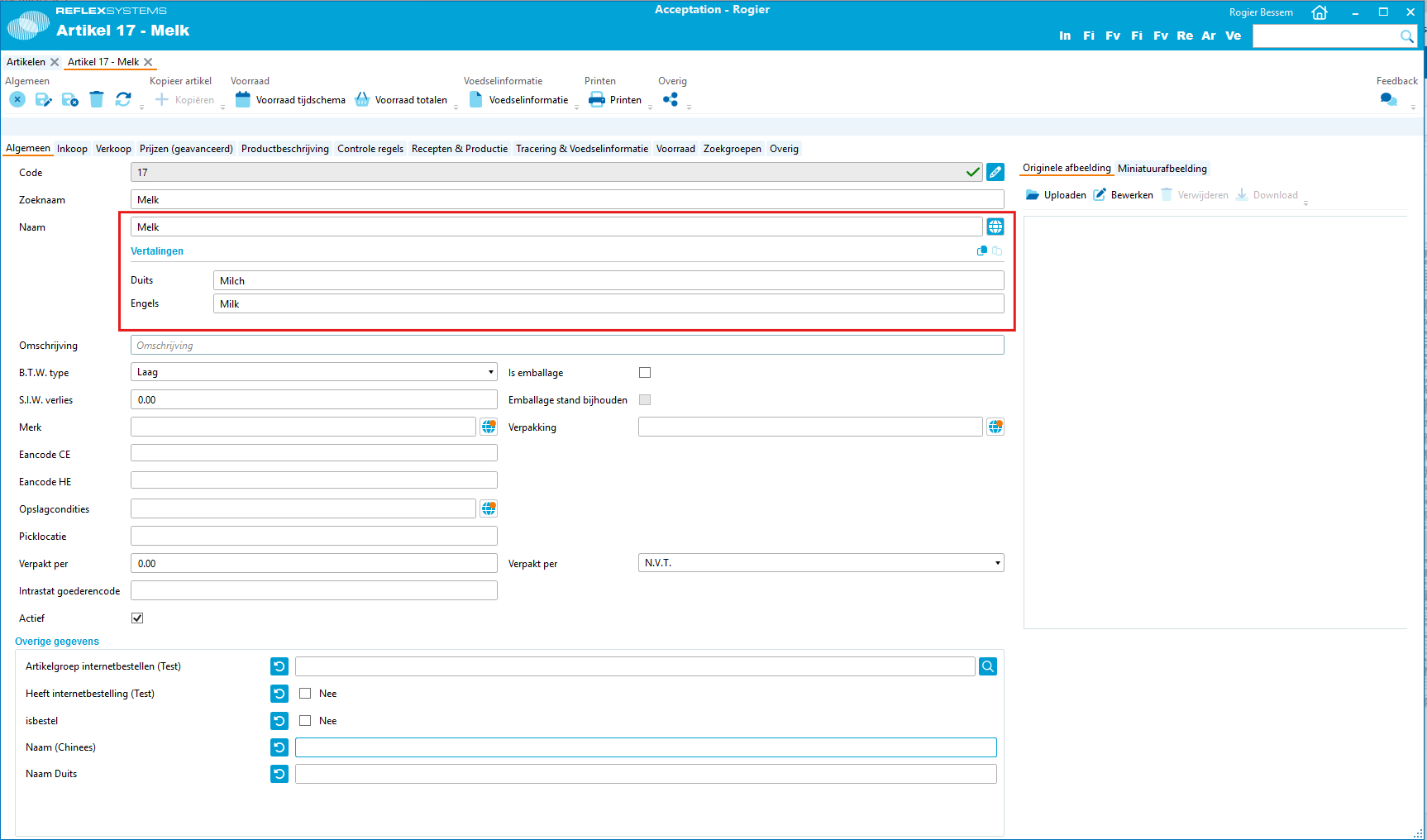
Fields that can be translated have a button that allows you to make translation fields visible. If a field has not yet been translated into all available languages, we display a small orange indicator on this button.
The ingredient overview can be filtered based on the presence of a translation in a specific language. You can also filter this overview for ingredients that have not yet been translated into all available languages.
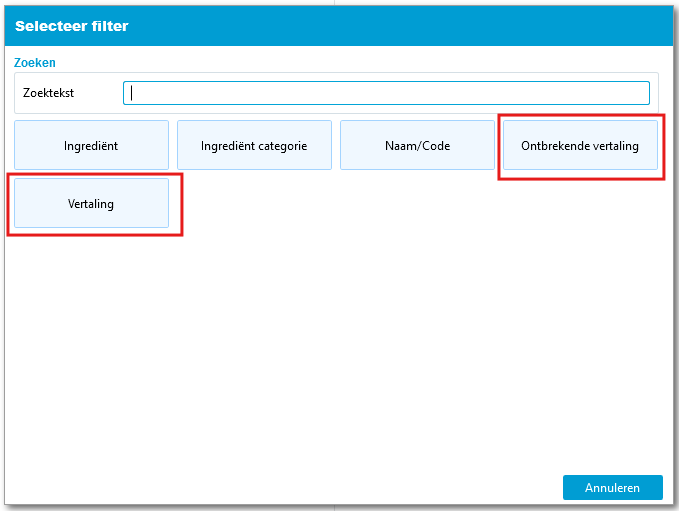
This allows you to efficiently maintain ingredient translations.
Want to learn more about how to use the language functions? Read our Language Support in ReflexBlue documentation.
Favorite Reports
ReflexBlue is continuously expanding with new types of reports. And for each type, you can create multiple versions yourself. Super handy, of course, but sometimes this results in too many choices when you want to print a report. You can now mark your most used reports as favorites, so you have a handy shortlist. Now you can quickly and efficiently complete your work again.
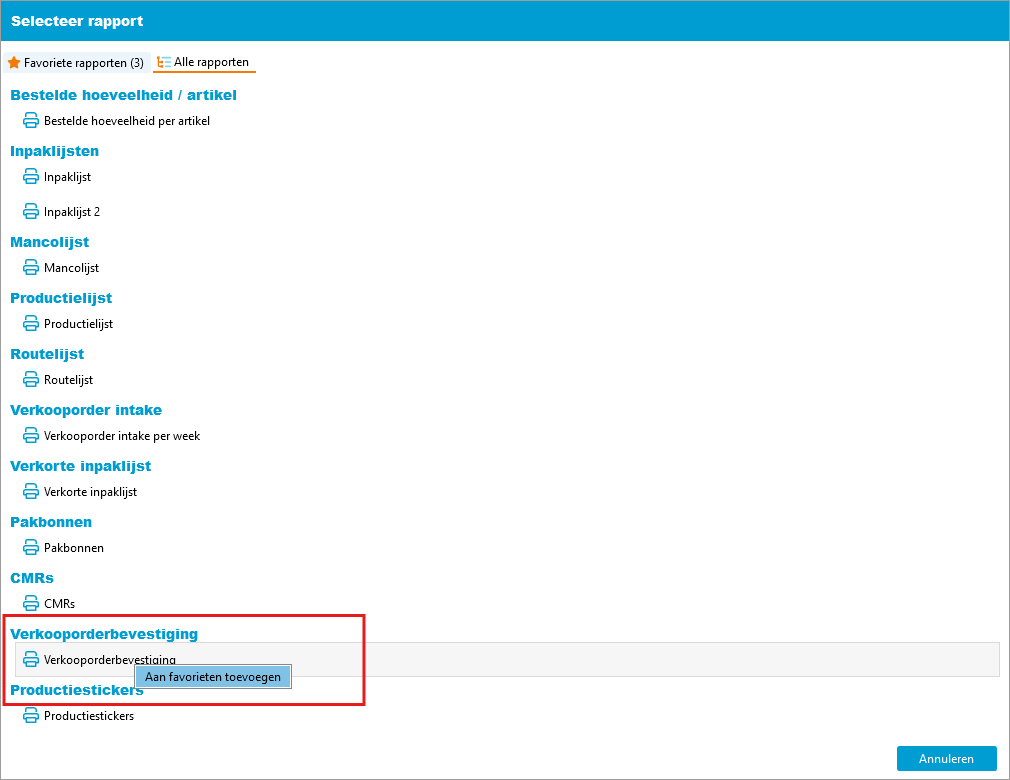
You can indicate which reports are favorites in the report selection screens.
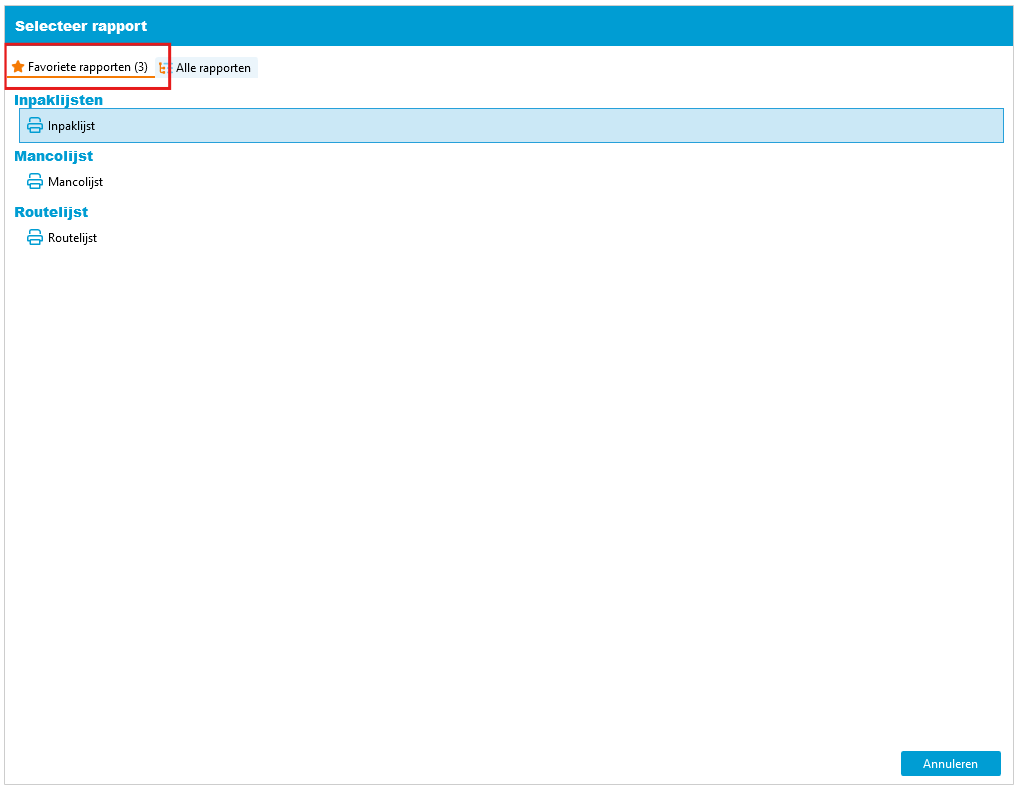
If you have marked a report as a favorite, the next time the report selection screen will open with the ‘favorites’ tab active. This simplifies your daily workflow.
My Account
You can now specify how new tabs should be opened. You can choose to open multiple tabs of the same type or replace the currently open tab.
Additionally, you can specify which printer should be used for you.
Specifying Corporate Identity in Administration Settings
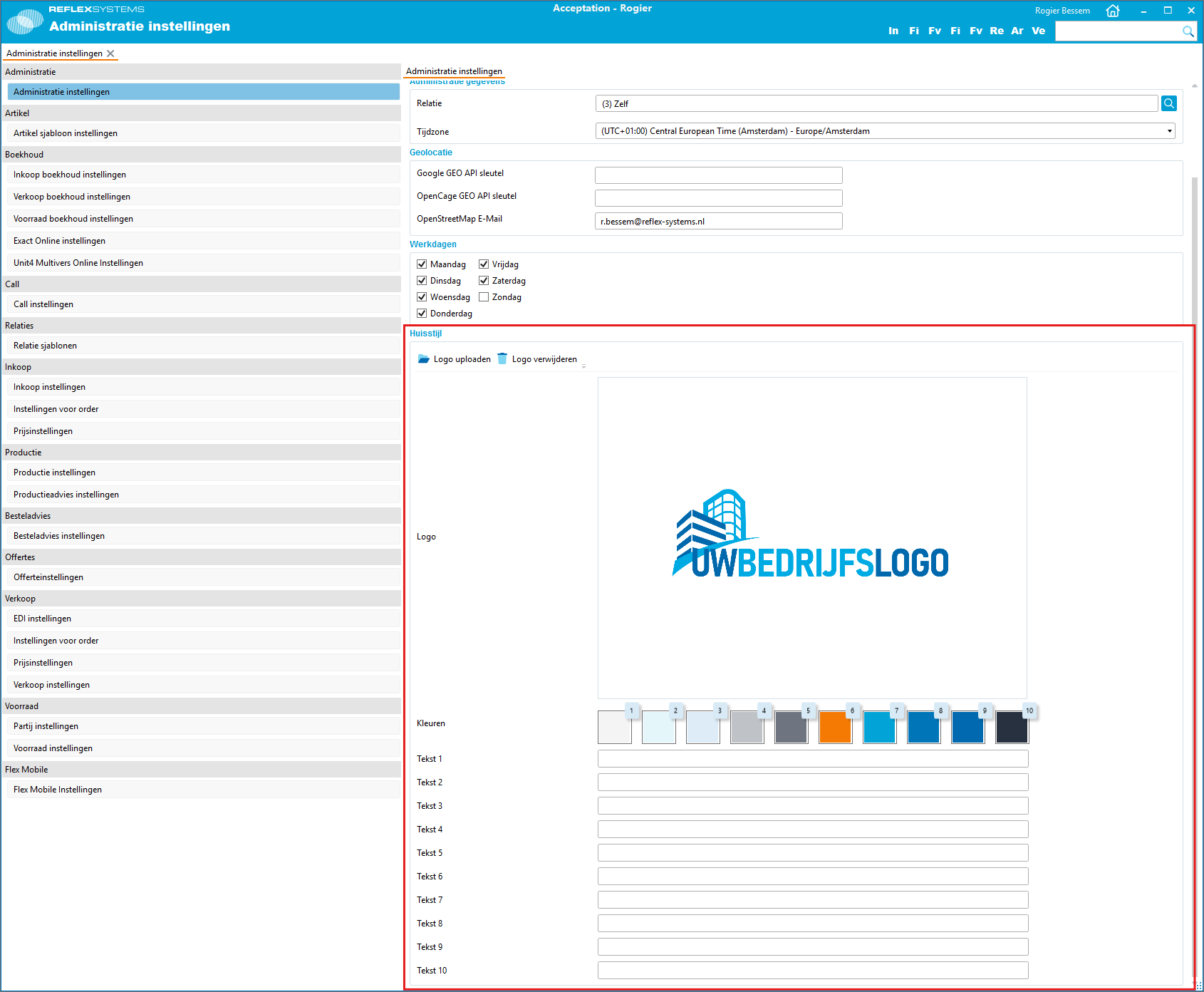
It is now possible to include the company logo, corporate colors, and company-related texts in the administration settings. This ensures a consistent look across all your reports.
Other Improvements
It is now possible to create a copy of an existing label definition. This makes adding new label definitions much easier.
Dynamic fields of type ‘text line’ can now be validated using a regular expression for correct input. For example, this allows you to ensure that a correctly formatted email address is entered.
Managing your assortment has become even easier. Articles can now be filtered by condition, and you can upload a thumbnail preview for an article group.
Orders
Improved Search Functionality in Order Entry
Entering orders is one of the most important parts of ReflexBlue. We are always looking for ways to improve its efficiency. We have made selecting articles much easier, allowing you to quickly find the right article.
Now you can enter your order even faster. Bring on that revenue!
You can now enter a search term directly in the article code field instead of opening a separate search screen first.
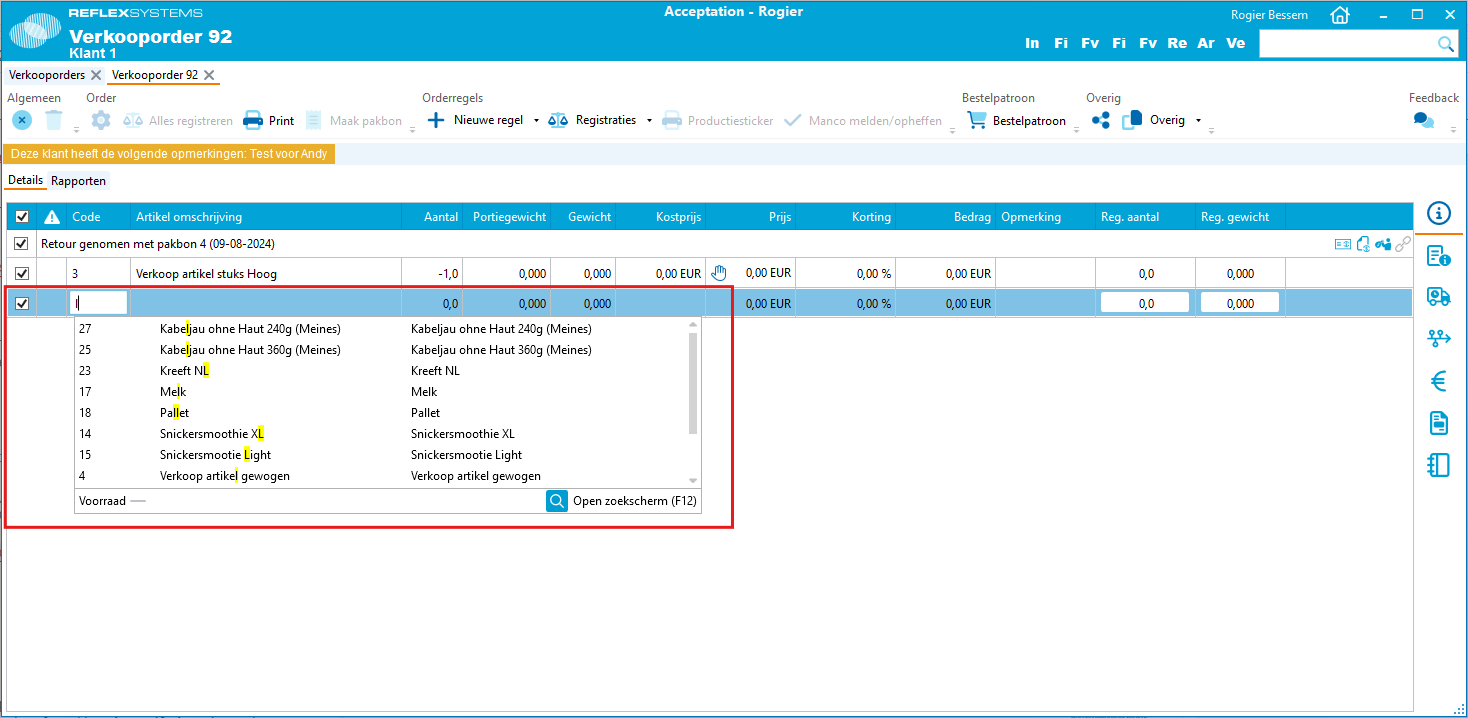
When searching for articles, you can now enter multiple search terms. In the search results, the articles recently ordered by the customer appear at the top. Pressing the # key displays a list of the most recently ordered articles. You can further refine this list by entering part of the article name after the # symbol.
Article Selection
With the growing number of ReflexBlue users, we encounter more situations that require slightly different types of support to work efficiently. Over the past year, we have added users who, in addition to a general assortment of articles, also produce custom-made products for their customers. That is why we have built Article Selection in ReflexBlue to ensure that certain articles are only available to specific customers or groups of customers.
With article selection, you can ensure that only a part of your assortment is available to a specific customer. By assigning articles to an article group, you create a group of articles that can be used as an article selection.
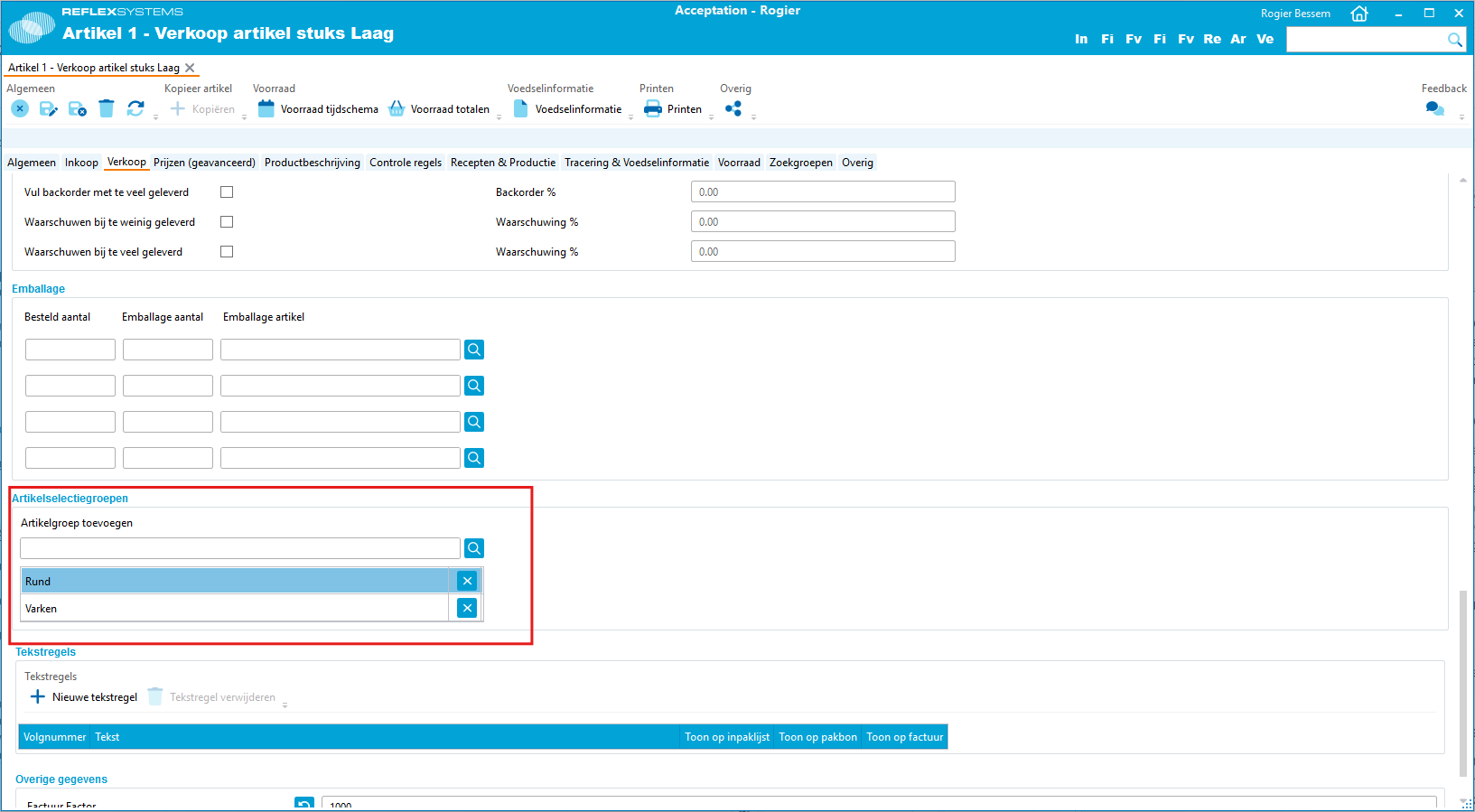
You then link this group to one or more customers to indicate that these customers are allowed to order products from this group.
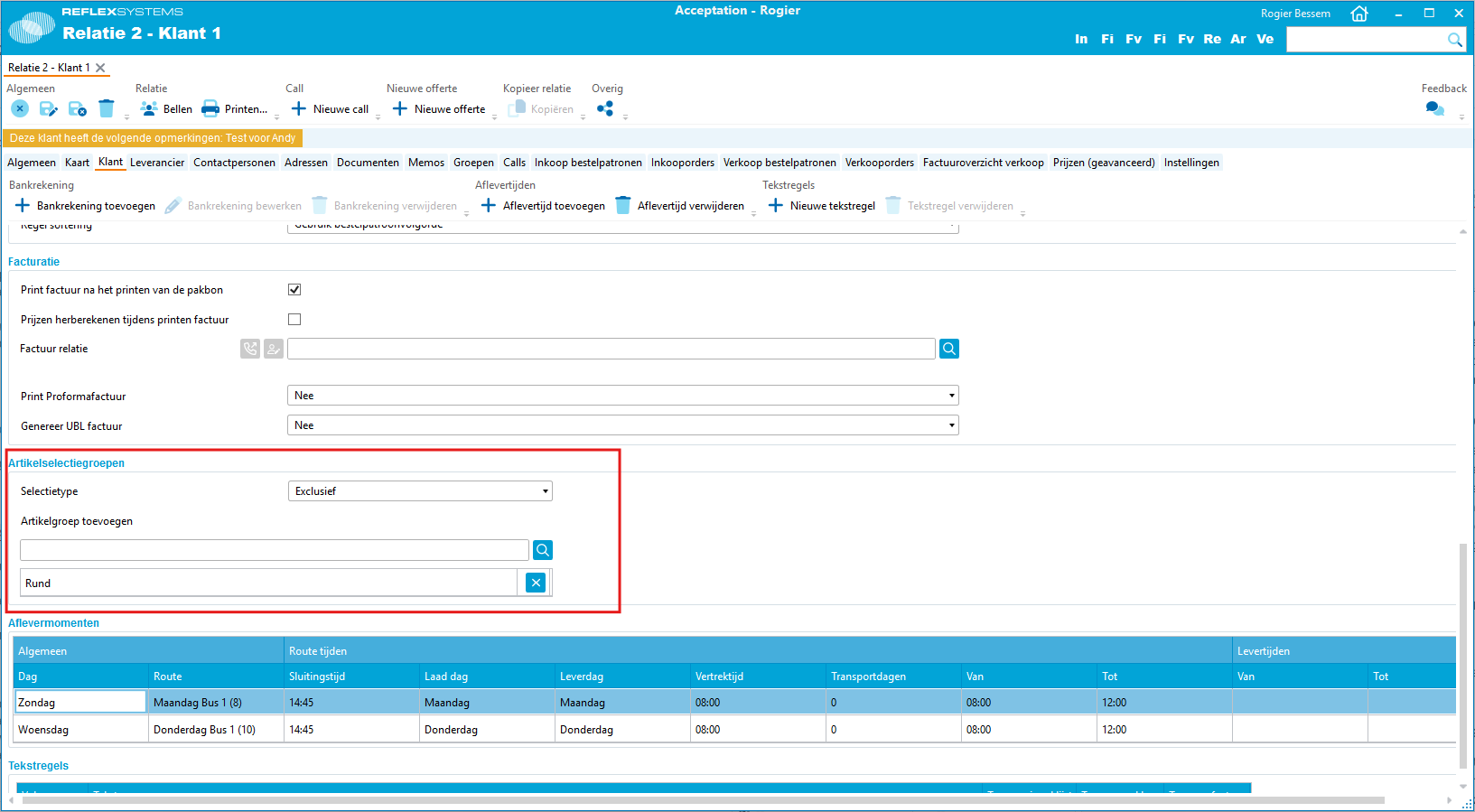
It is also possible to grant all customers access to the entire assortment, except for a few specific articles. Then, you can grant specific customers access to these excluded articles. This allows you, for example, to include articles in your assortment that are specifically produced for a customer’s private label.
Packing Slips and Weighing Lists
It is now possible to open an overview of all packing slips. There is also an overview of all weighing lists. These screens make it easier to search for previously created packing slips or weighing lists. The packing slips and weighing lists can be filtered by multiple attributes, such as relationship, delivery date, or item.
Quotations
Creating quotations is often an essential part of your sales process. This step in your sales process could not be performed in ReflexBlue, requiring a lot of manual work. Initially, you had to prepare the quotation in another software package, such as Microsoft Word. Then, you had to manually track that you had sent a quotation, and when you finally received a signed agreement on that quotation, you also had to manually enter price list and price agreement records into ReflexBlue. With our Quotation functionality added to ReflexBlue, much of this manual work has become redundant.
With quotations, you can create proposals for prices of multiple items that you will charge to your customer.
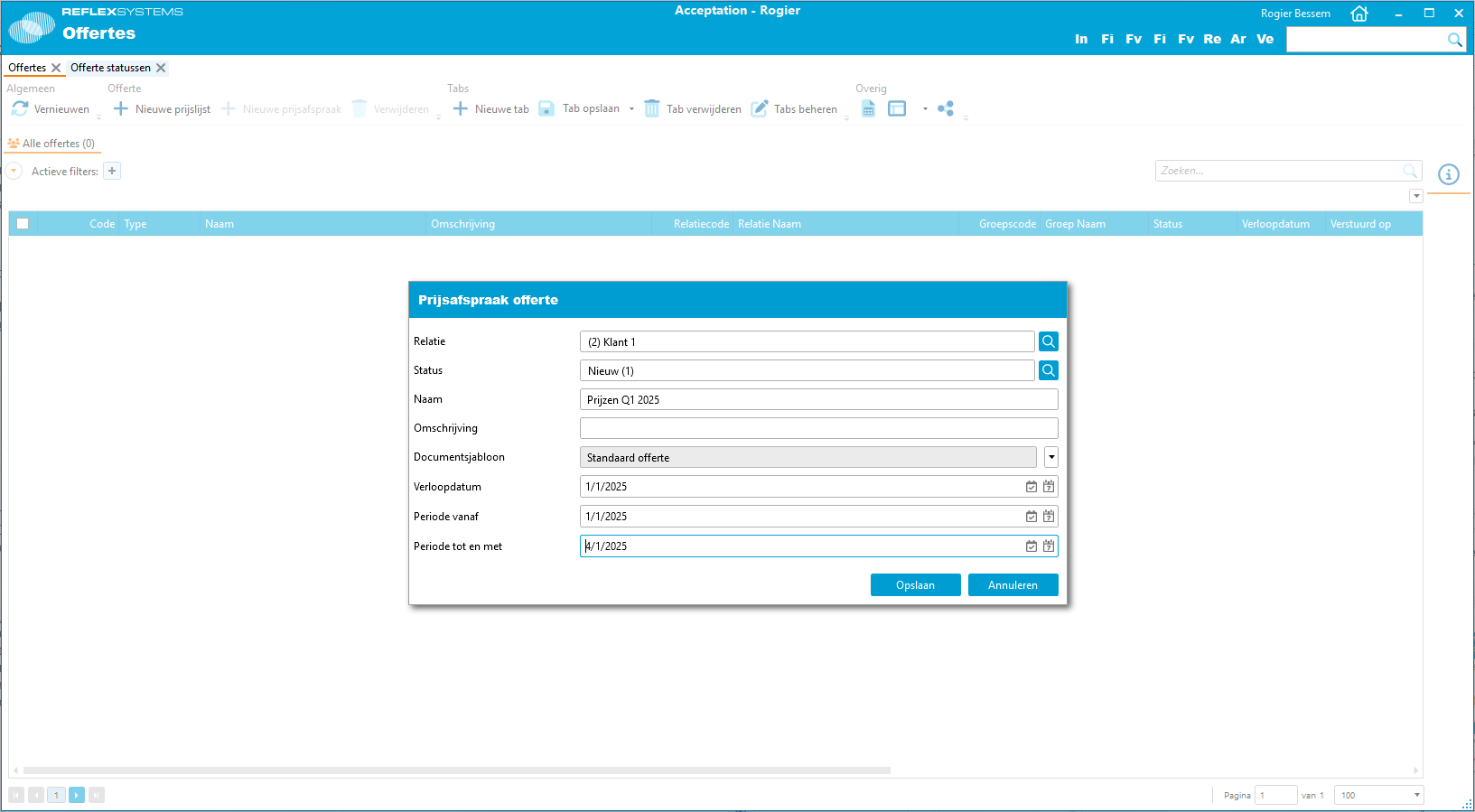
You can create quotations for a specific customer or for a group of customers.
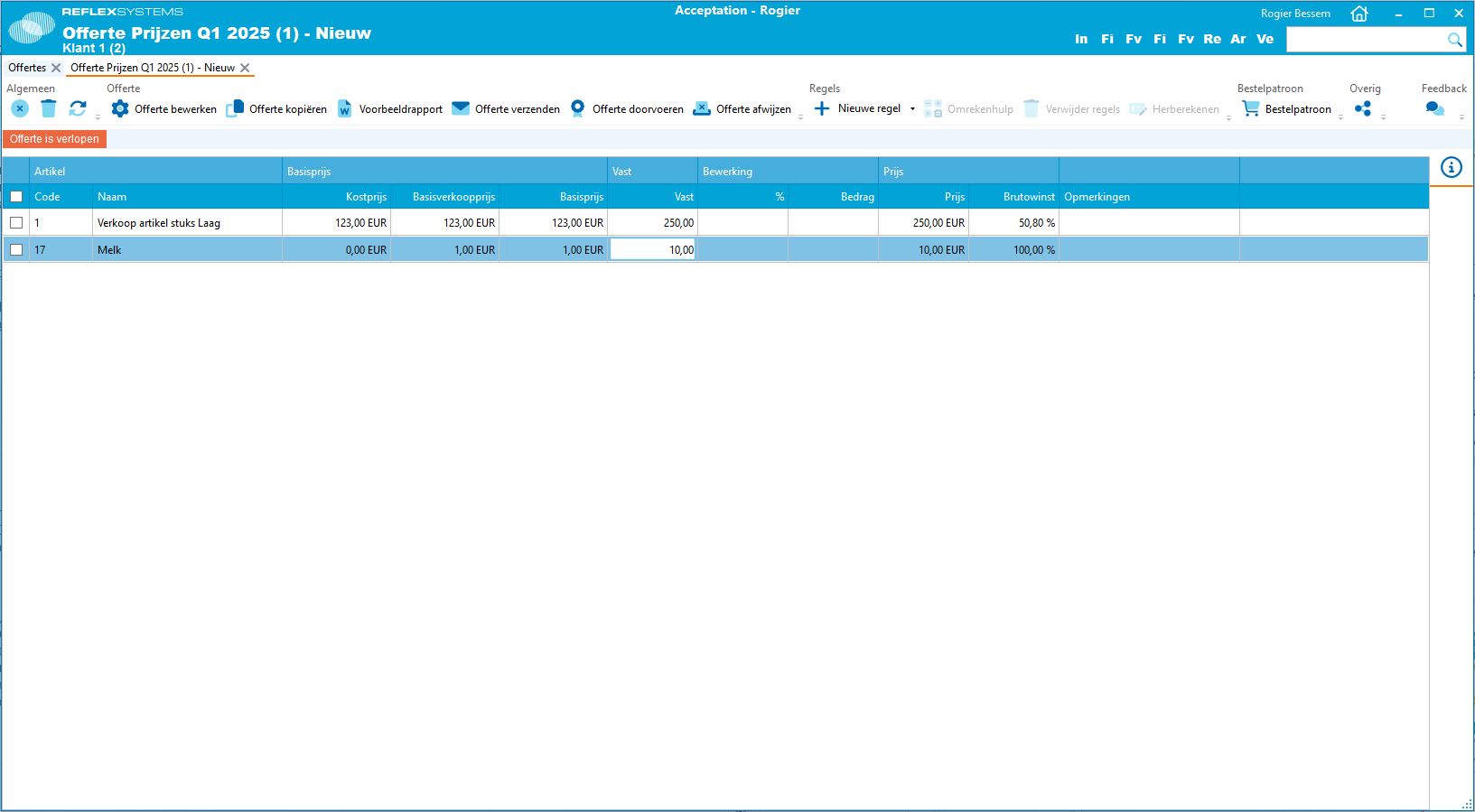
After creating the quotation, you can send it to your customer(s) and track the status of the quotation. It is possible to set an expiration date for the quotation. If the customer agrees to the quotation, you can convert it into price list prices or price agreements.
Would you like to know more about our quotation functionality? You can read more in our Quotations documentation.
Order Schedules
With order schedules, you can define multiple delivery times for your supplier. For each item, you can specify which order schedule applies. For example, you can indicate that all fresh products can be delivered daily in the morning, while frozen products are only delivered once a week. When calculating stock over time during sales order entry, these order schedules are taken into account.
Routes
In the routes, you can now specify the number of order days. This allows you to indicate how many days in advance an order must be placed to be delivered on the delivery day of the route. In addition to the number of order days, the closing time of the route is also considered. This way, for users of the Internet Order webshop, you can specify that they have until 12:00 PM to place an order for next-day delivery. Orders placed after 12:00 PM will be delivered on the next available route day.
Other Improvements
It is now possible to filter the customer overview by customers for whom an order has been created today. This allows you to better filter your call list by displaying only customers for whom no order has been created today.
Financial
To keep your financial administration well-organized, you need to perform many tasks. These tasks are often very labor-intensive. We strive to simplify these financial processes as much as possible by continuously adding functions to ReflexBlue.
Emailing UBL Invoices
You can now specify for a customer that, in addition to a PDF invoice, a UBL invoice should also be emailed. Both files are available as attachments in the email sent when an invoice is generated.
You can read more about working with invoices in ReflexBlue in our Invoices in ReflexBlue documentation.
Customer Comparison Analysis
We have added the Customer Comparison Analysis to the sales analysis. This is a sales analysis that allows you to create a comparative analysis for one or more customers. With this analysis, you can compare revenue-related values for each customer over two periods. For example, you can compare the revenue per customer from the current year with the revenue from the previous year.
Purchase Analysis
With the purchase analysis, you can create financial analyses based on data from your purchase invoice lines. The following analyses are available:
- ABC Analysis - Items
- ABC Analysis - Customers
- ABC Analysis - Customer/Item
- ABC Analysis - Item/Customer
- Purchase Analysis - Item/Customer
- Purchase Analysis - Customer/Item
- Purchase Analysis per Customer
- Purchase Analysis per Item
- Purchase Detail Analysis
- Purchase Trend per Month
- Item Comparison Analysis
- Customer Comparison Analysis
- Item Purchase Quantity Analysis
- Customer Purchase Quantity Analysis
Importing Open Invoices
It is now possible to import open invoices via a CSV file. This allows you to automatically close your paid invoices or record partial payments.
Cost Price Calculation
This feature enables you to calculate the cost price for producing a specific recipe.
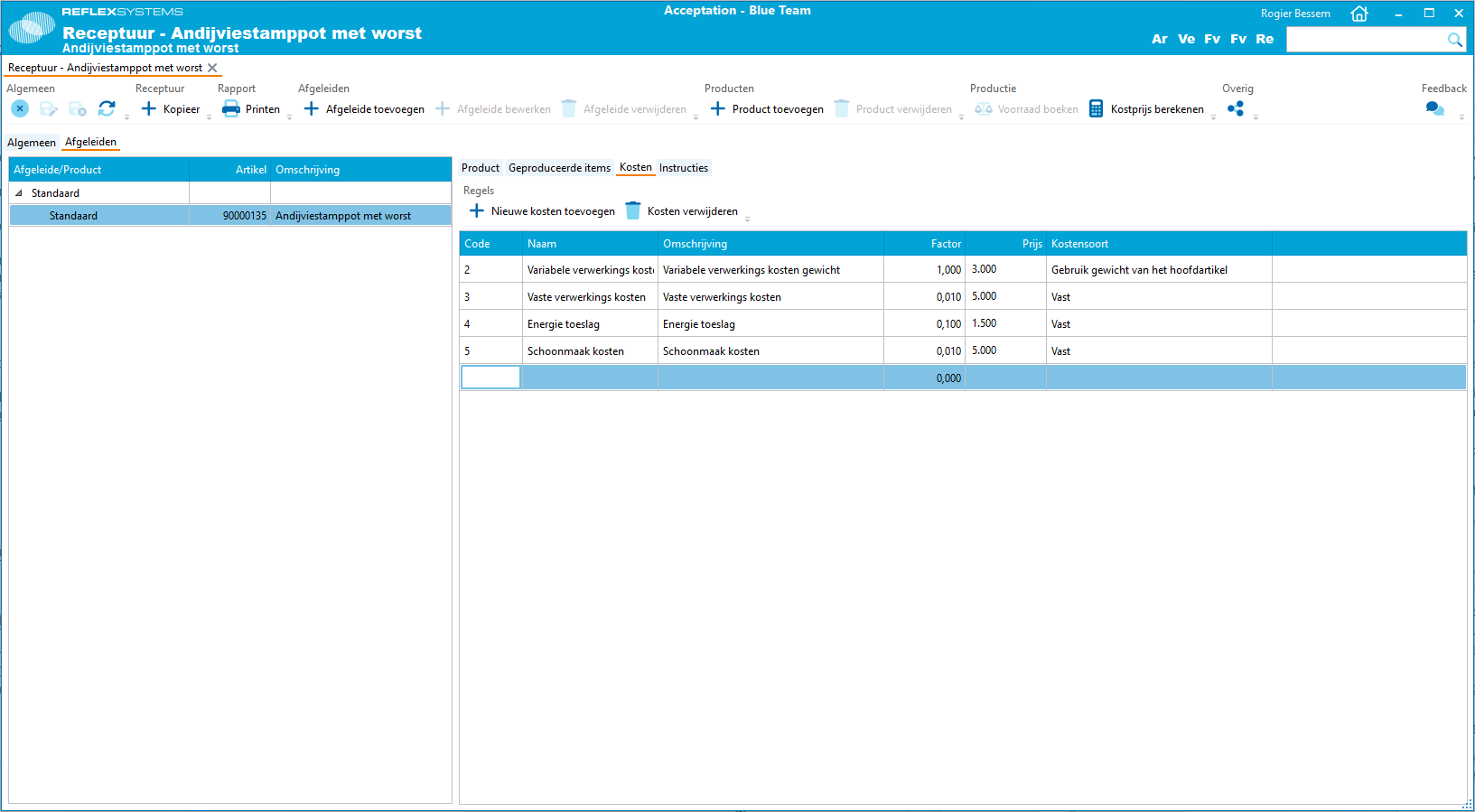
Based on the prices of raw materials, the recipe, and costs specified within the recipe, the cost price is calculated.
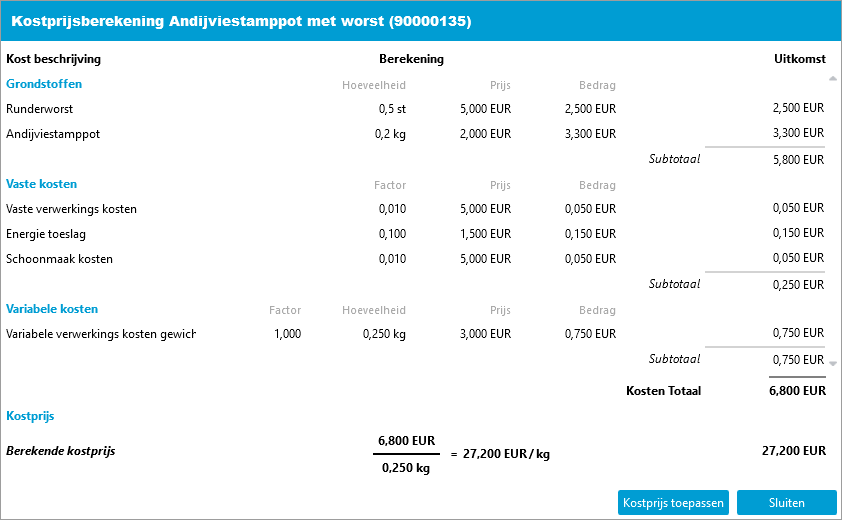
The calculated price is stored in the article of the final product.
Intrastat Reporting for Belgian Administrations
Do you have a Belgian administration? You can now also generate Intrastat reports.
Control Points
Control points are moments within the business process where additional information must be entered in ReflexBlue. This is an essential part of your HACCP system. ReflexBlue will prompt you with certain questions that must be answered before you can proceed with your business process. The answers are stored in ReflexBlue. Later, you can generate a report of the questions asked and the answers given, and you can export them.
Want to learn more about Control Points in ReflexBlue? Our Control Points documentation can help you.
Control Points for Production Orders
You can now also have control questions asked when creating production order registrations for raw materials or final product registrations.
Recipes and Production
Improvements
Do you want to know in which recipes a certain ingredient is used? You can now easily find out by filtering the recipe overview for recipes that contain the ingredient.
Additionally, you can now print a label while registering raw materials in a production order.
Desktop Application
Filtering Overviews by Dynamic Field
It is now possible to filter various overviews by dynamic fields. The following overview screens can be filtered:
- Articles
- Calls
- Sales Invoices
- Purchase Invoices
- Sales Orders
- Purchase Orders
- Pallets
- Batches
- Recipes
- Relations
With the exception of a few very specific types of dynamic fields, all dynamic fields can be used as filters.
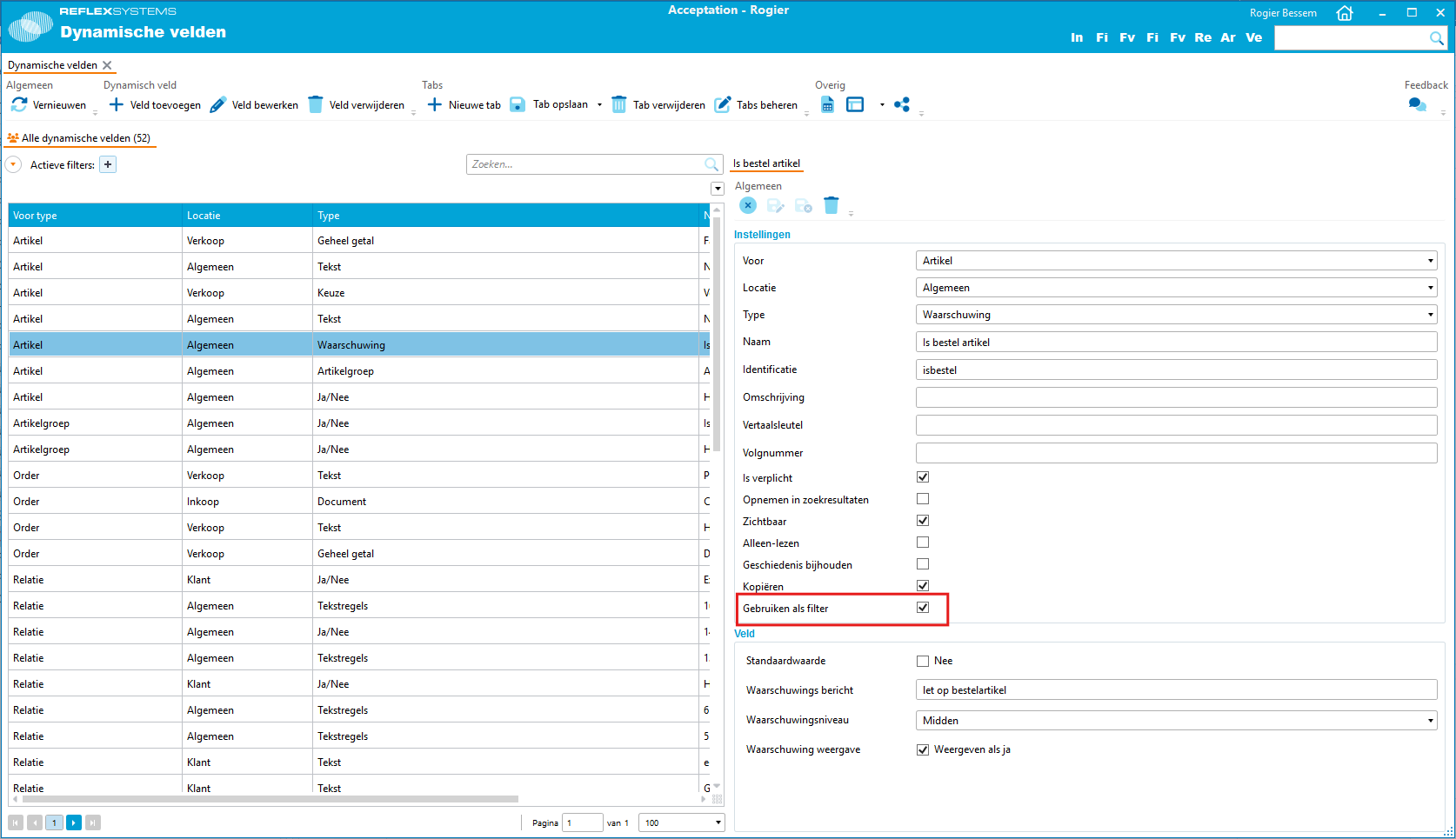
For each dynamic field, you can specify whether it can be used as a filter. Once set, the dynamic field can be used in the filter selection.
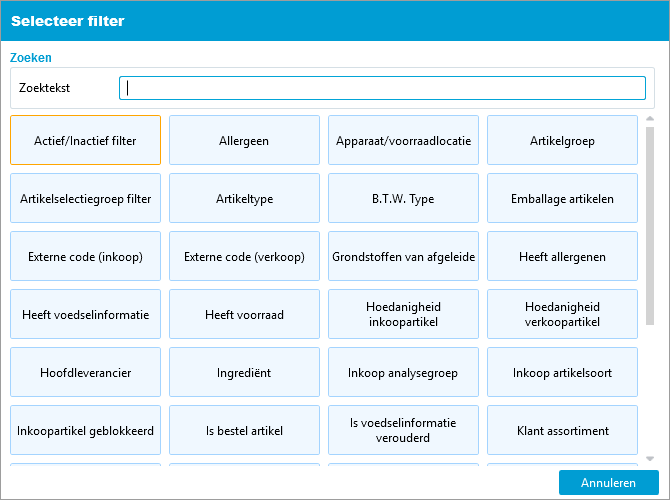
Once you have added the dynamic field as a filter on your tab, you can filter by the selected value.
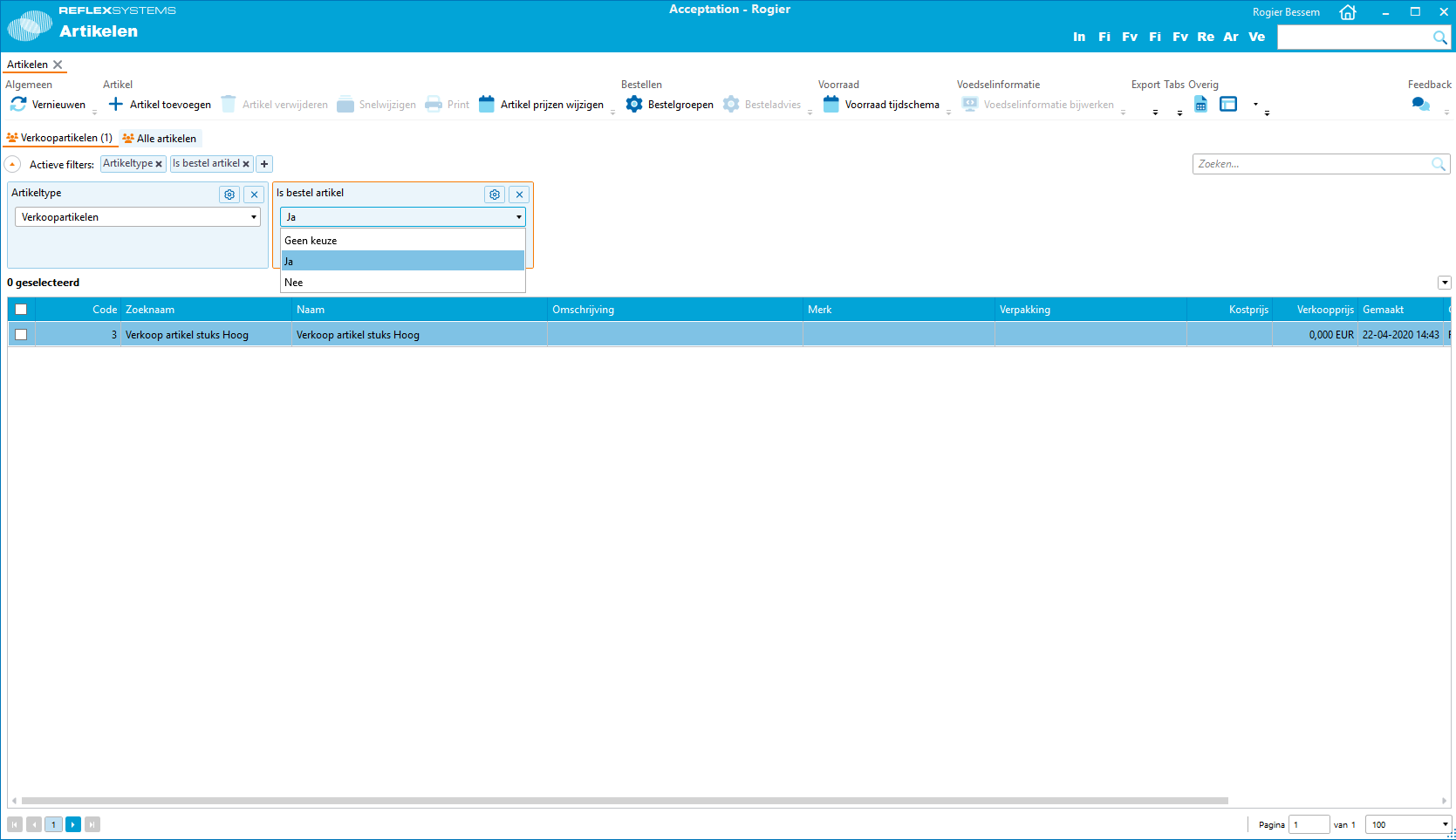
Learn more about our Dynamic Fields.
Easy Exporting
From various overview screens, you can now start a data export. Based on the filters in your active tab and the selected rows, you can initiate an export from the button bar. This means you no longer need to navigate to the Import/Export Definitions screen. Additionally, you no longer need to create a separate export script for each desired filter combination. This export button is available on the following screens:
- Articles
- Relations
- Purchase Orders
- Sales Orders
- Packing Slips
- Calls
- Control Point Registrations
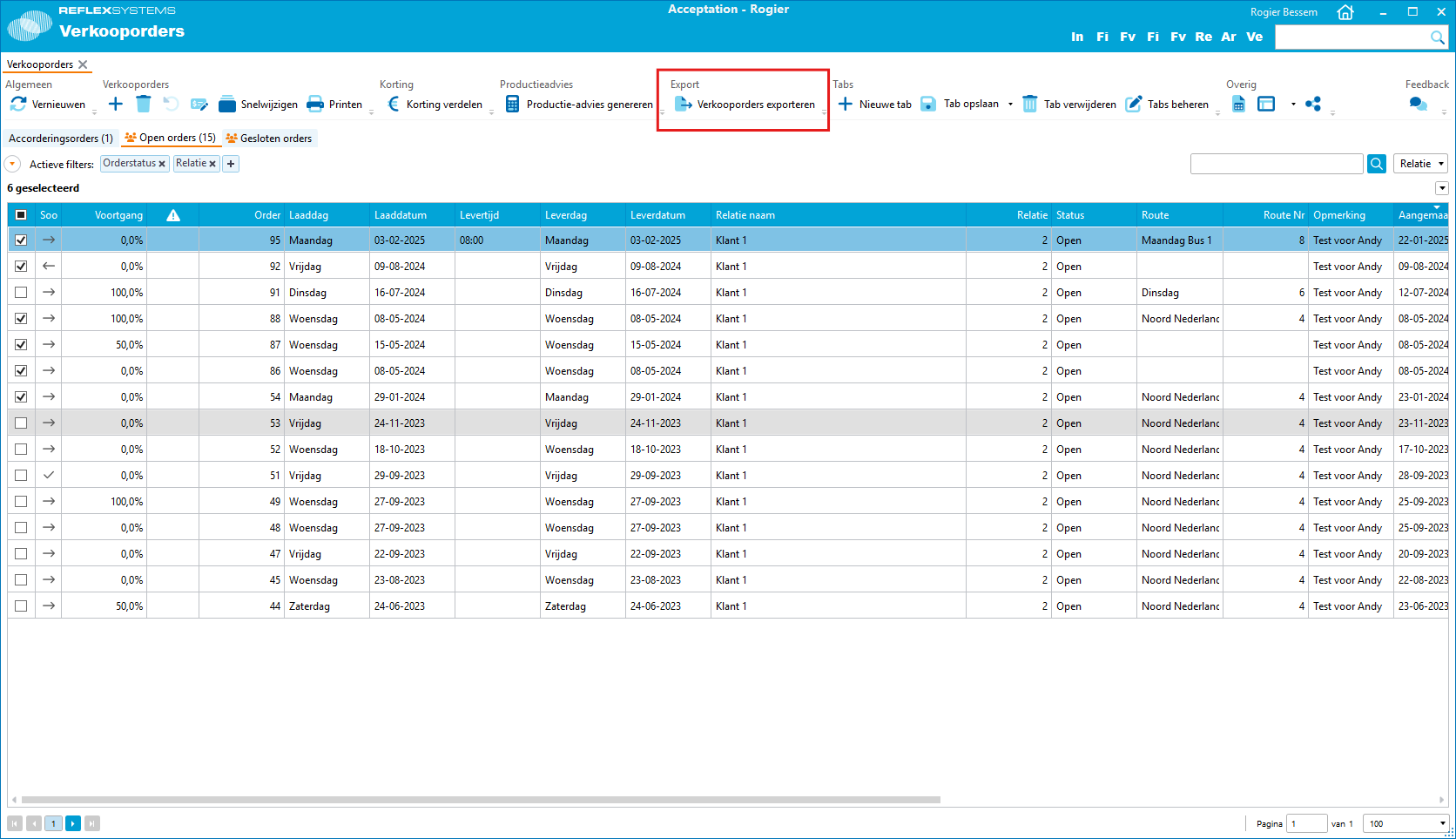
More information about our import and export features can be found in our Import/Export Definitions documentation.
Flex
Article Detail Information
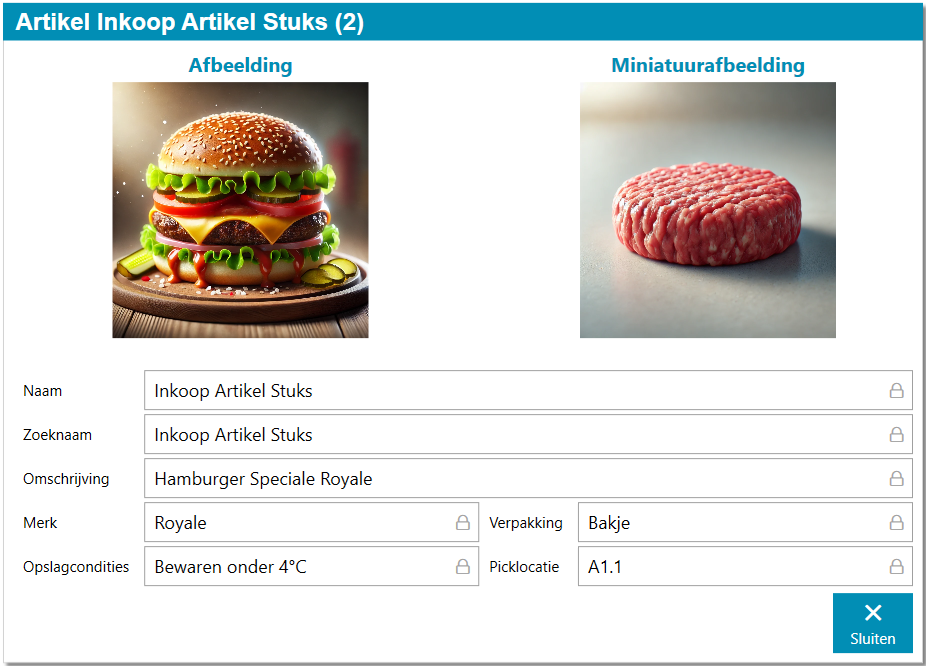
This feature allows you to view detailed information about a specific article on the production floor. You can add an article information button to the button bar. When using this button, additional information will be displayed in a new window. This information can also include an image of the article, making it easier for the Flex operator to identify the article.